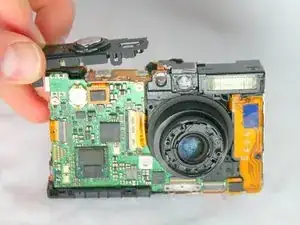
Back Panel
Estas son algunas de las herramientas comunes que se utilizaron para trabajar en este dispositivo. Es posible que no necesites todas las herramientas para cada procedimiento.
Here is a troubleshooting guide for different problems you may experience with the Canon PowerShot SD1000.
Your Camera is the:
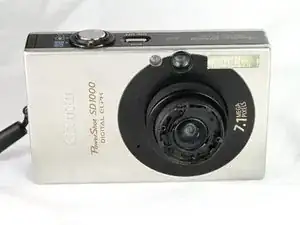
Canon "PowerShot SD1000"
DIGITAL ELPH
This device can be identified by the label above on the front side near the lens, and has a 2.5” LCD screen compared to the SD750’s bulkier 3” screen. Looking at the front of the camera near the lens, there should also be a reading of 7.1 Megapixels. There is a similar identification label on the top of the camera and to the left of the ON/OFF button. The body of the SD1000 is always silver, but the trim can come in either black or silver.
Resolution: 7.10 Megapixels
Lens: 3.00x zoom (35-105mm eq.)
Viewfinder: Optical / LCD
LCD Size: 2.5 inch
ISO: 80-1600
Shutter: 15-1/1500
Max Aperture: 2.8
Dimensions: 3.4 x 2.1 x 0.8 in. (86 x 54 x 19 mm)
Weight: 4.4 oz (125 g)
MSRP: $300
Availability: 02/2007