Introducción

This guide removes the side panel of the camera, allowing for repairs on the side lever.

  1. M2hTDsYSGaXDENEW
    M2hTDsYSGaXDENEW
    Rpo2TrSEDYAsHZCx
    tFL6GQ1idKsOfQCs
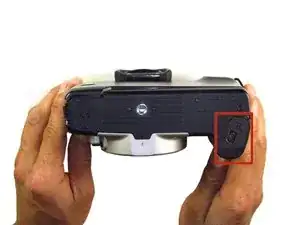
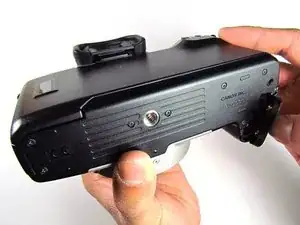
    • Open up the battery door.

  2. YlgOvdX3wMVLdQgm
    YlgOvdX3wMVLdQgm
    2HxVsoSWenhRV2vx
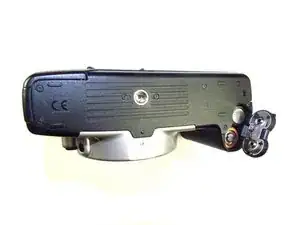
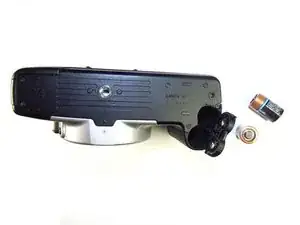
    • Remove the batteries from the camera by sliding them out into your palm.

  3. VVYjefXhNYd3lkkg
    VVYjefXhNYd3lkkg
    TvRxlYKbYuJWtiKQ
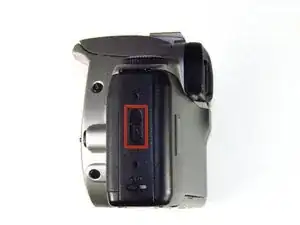
    • Release the side latch to open the back panel.

  4. tWBJWPOHWGSm2WB4
    tWBJWPOHWGSm2WB4
    RZglpuMscVYbM6dC
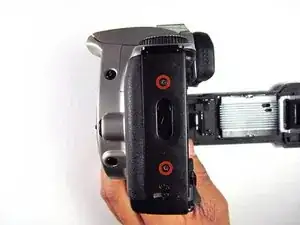
    • Remove the two black 4.5mm screws above and below the latch.

  5. 6mGvSTkmpV1yFXQq
    6mGvSTkmpV1yFXQq
    uglucA5kNkk1ZkDk
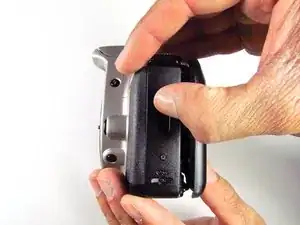
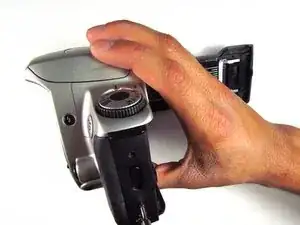
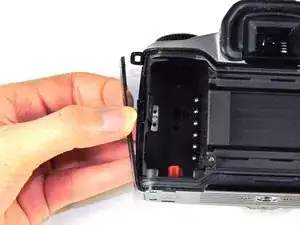
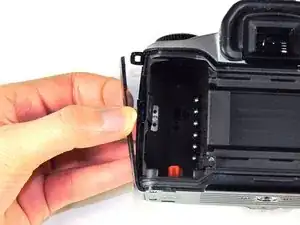
    • Using your finger, carefully pry open the side panel from the top of camera.

    • Pull panel downwards to remove.

    • Make sure to keep track of the small black piece of rubber under the latch.

Conclusión

To reassemble your device, follow these instructions in reverse order.

Jordan Tang

Miembro Desde 24/01/14

572 Reputación

0 comentarios