Introducción

This guide shows how to properly remove the back cover from your Dell XPS 18, which is necessary for accessing the inside components.

  1. stUOnfnBUE6YN5x3
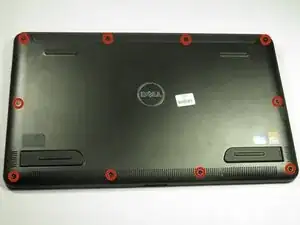
    • Turn the device on its screen.

    • Remove the ten 4mm screws using a T8 Torx screwdriver.

  2. EsppVhHdF4hHa6VF
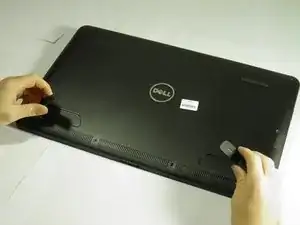
    • Gently flip out support feet located near the bottom of device.

  3. P4B3cAjtRTeQ3VGb
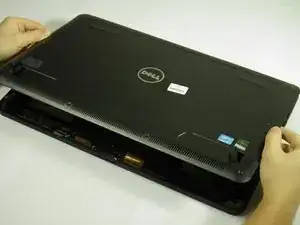
    • Gently lift the back cover off the device. The back cover should come off easily.

Conclusión

To reassemble your device, follow these instructions in reverse order.

Austin Weir

Miembro Desde 31/01/15

1263 Reputación

0 comentarios