Introducción

Use this guide to perform a battery cycle reset on your Samsung phone or tablet. You should perform this reset whenever you change the battery for your Samsung device.

This procedure currently only works for the S20, S21, and Tab S7+ models. This guide will update as Samsung adds more compatibility. For more information, refer to the Samsung Self-Repair document.

Note: the device used is a Samsung Galaxy Tab S7+, but the procedure is identical across all Samsung devices.

  1. eEOBIpWSep24jjZU
    eEOBIpWSep24jjZU
    aJale3AifVGqkhtL
    CAPsLYhMhfSVIYOh
    • Download the Self Repair Assistant app here.

    • You may be prompted with a "File might be harmful" warning. If so, select "Download anyway."

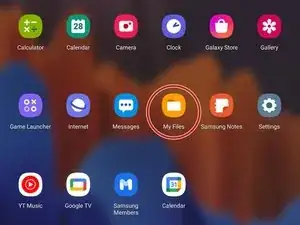
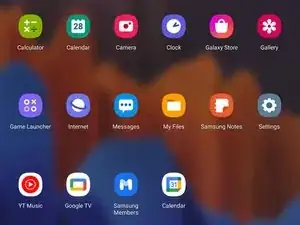
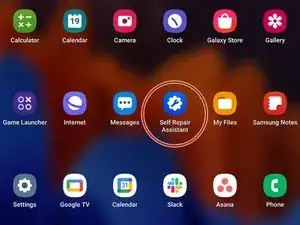
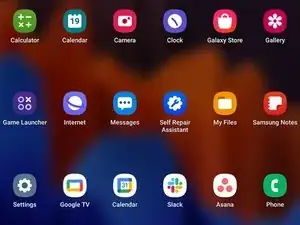
    • Open the "My Files" app.

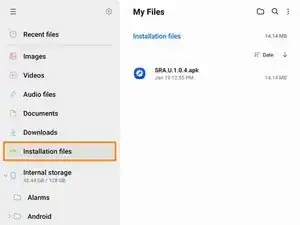
    • Navigate to the "Installation files" tab on the left side of the screen.

  2. kJcmYMj3iQ25IAFu
    kJcmYMj3iQ25IAFu
    dVPdkEfVMuBwTCdl
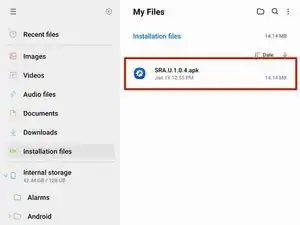
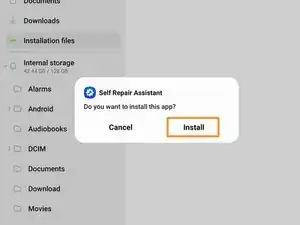
    • Select the app on the right side of the screen.

    • If the app doesn't show up on this panel, skip to the next step.

    • Select "Install" to confirm the app's installation.

    • Skip the next two steps.

  3. FZX5IydwYRBoq5IN
    FZX5IydwYRBoq5IN
    1aQkNtmLT1APQwHy
    wnERPHViTWcwRZwB
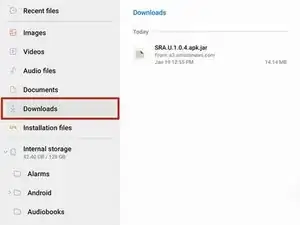
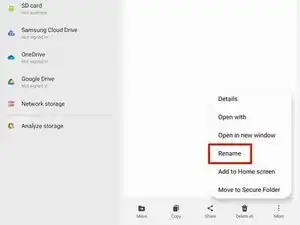
    • If your app didn't show up on the "Installation files" tab, follow the next two steps to rename the file.

    • Navigate to the "Downloads" tab on the left side of the screen.

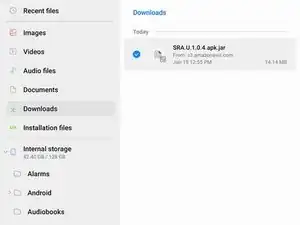
    • Long press the download file until an orange checkmark appears to the left of it.

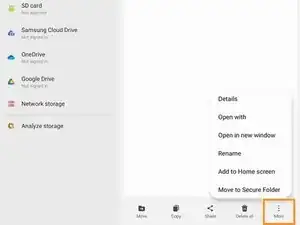
    • Navigate to the bottom of the screen and select the "More" option.

  4. CrIZ4kcWMUFZoypA
    CrIZ4kcWMUFZoypA
    UW34lNQvE3TbtPUd
    L15ElWB15ylhNqCp
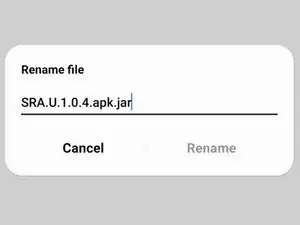
    • Select the "Rename" option.

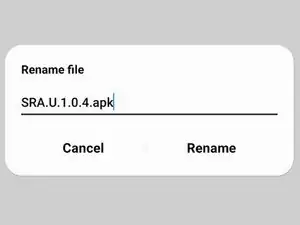
    • Delete the .jar at the end of the app's name.

    • Your file should now appear in the "Installation files" tab.

  5. ZGsAaaGe6ijUQdqv
    ZGsAaaGe6ijUQdqv
    iY4HWK2B1ekOXt62
    • Select the Galaxy Cal app.

    Bei meinem S20 FE 5G kommt beim Starten der App die Meldung:

    This Model is NOT Supported

    Gibt es sonst noch eine Möglichkeit?

    DasMarki _ -

  6. pci42UcfdiagTiPL
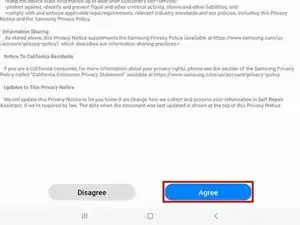
    • Select "Agree" to accept the Terms and Conditions.

  7. VGHTYA6NtGQfQxXm
    VGHTYA6NtGQfQxXm
    gGcZddauZmDPXFYq
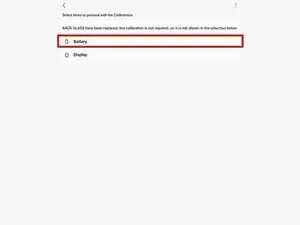
    • Select the "Battery" icon.

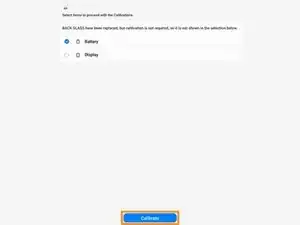
    • Select "Calibrate" to continue.

    • If you want to perform a fingerprint sensor calibration instead, follow this guide.

  8. N1EcLVT5BYvC2SHs
    N1EcLVT5BYvC2SHs
    OewHPDZd3FDCioQf
    vOeRfoIZaytJjBZA
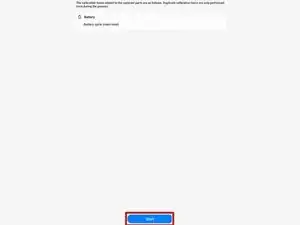
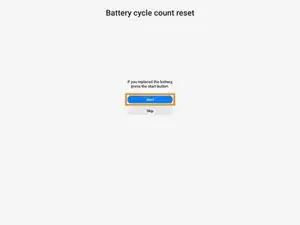
    • Select the "Start" button.

    • Select the "Start" button again.

    • Select "Ok" to finalize the battery cycle reset.

    • Wait until the battery cycle reset finishes.

    • You may need to reset your device for battery cycle reset to apply.

Alex Diaz-Kokaisl

Miembro Desde 16/01/22

59165 Reputación

3 comentarios

Thanks for catching that! I fixed the link in the introduction.

Arthur Shi -

I installed the galaxy cal app on an S20 and when opening the app I get a message to try again after getting new version

Pierre-Luc Thibeault -