Introducción

This guide will show you the required steps to complete a screen replacement.

  1. qiTWLAFODiIaA1D2
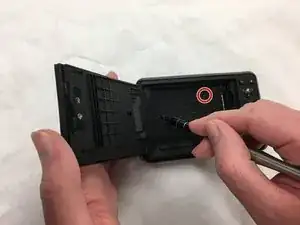
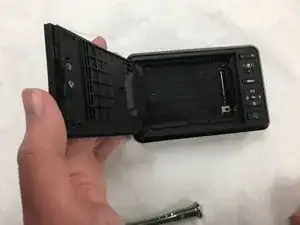
    • Flip the camera to back side up and open the paper/screen door.

  2. j2SKGTjKKW5fq6Md
    j2SKGTjKKW5fq6Md
    fOYw43DVgj51EoaU
    ltQMGZBeWm1YeCGQ
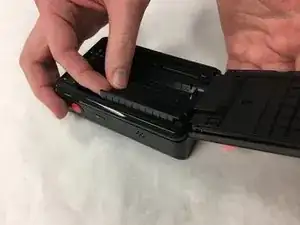
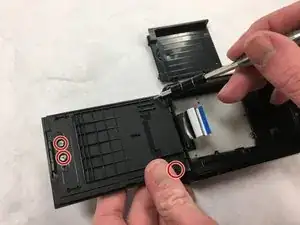
    • Locate and remove the two 3.5 mm long screws on the inside tray.

    • Screw head: JIS J00

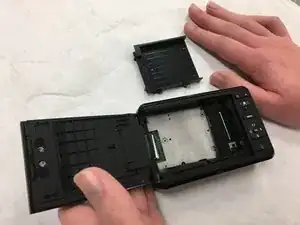
    • Remove the inside tray.

    • The screws are very small! Be careful not to strip or lose them.

  3. rUR1DgZ1WPNeTTnb
    rUR1DgZ1WPNeTTnb
    hPiPddG6mxxOFAAd
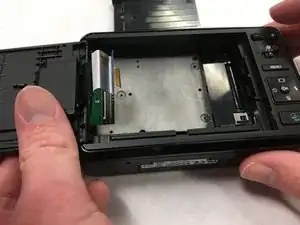
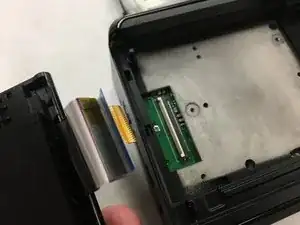
    • Gently pull the ribbon away from the logic board. This will allow the screen to separate from the rest of the camera.

  4. FhJydjrNHkqwTG5e
    FhJydjrNHkqwTG5e
    uOH11khelurubwHa
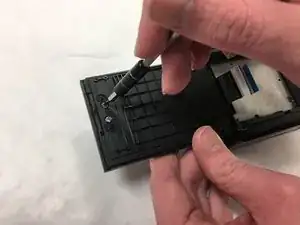
    • Locate and remove four 3.5 mm long screws on the inside of the door.

    • Screw head: JIS J00

    • The screws are very small! Be careful not to strip or lose them.

  5. bPRVgGvyUtYRLyER
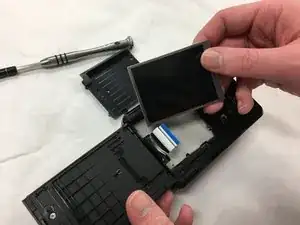
    • Once the panel is removed, the malfunctioning screen will slide out and can be replaced.

Conclusión

To reassemble your device, follow these instructions in reverse order.

Bradley Marcum

Miembro Desde 01/11/18

217 Reputación

Un comentario

Where can I buy a replacement screen please?

mooi1uk -