Introducción

  1. XutiKxDDBJ212Nfe
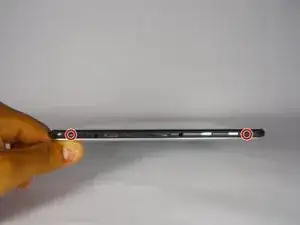
    • Remove 2 black 4 cm Phillips screws on either side of the bottom of the device.

  2. TUf2opYtXQVpJlJM
    TUf2opYtXQVpJlJM
    OB6mZt6N3BxRWGgL
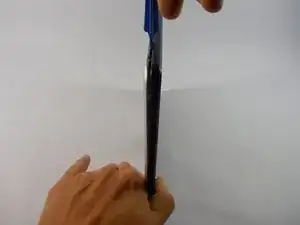
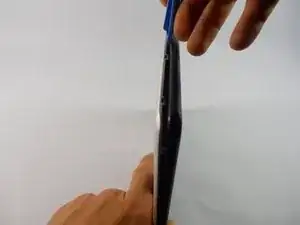
    • Use the plastic opening tools and the spudger around the outside of silver metal back plate on the device to pry off the back plate.

  3. mnGbCLuN1MLUq5xp
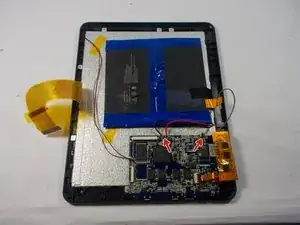
    • Cut red, black, and gray wires connecting the battery to the motherboard.

  4. SaHiGAssiEmETqXL
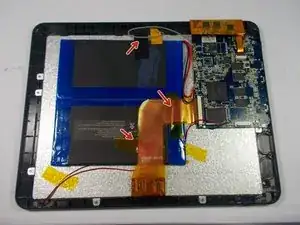
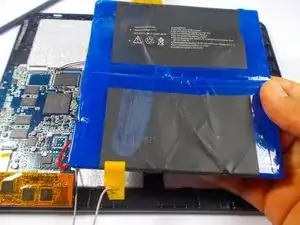
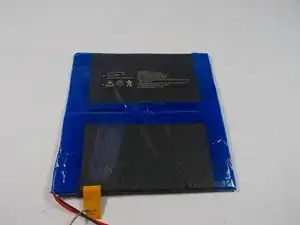
    • Remove tape on top of battery.

  5. ApTy1WEKTLc5N5t2
    ApTy1WEKTLc5N5t2
    qJGJILOoCTQtF46R
    • Use the plastic opening tool and the spudger to pry up and remove the battery.

Conclusión

To reassemble your device, follow these instructions in reverse order.

Edward Insogna

Miembro Desde 23/03/15

626 Reputación

0 comentarios