Introducción

In this guide, you will learn how to uninstall programs from your HTC Fortress.

  1. QVOOXBEIbPYl6bLB
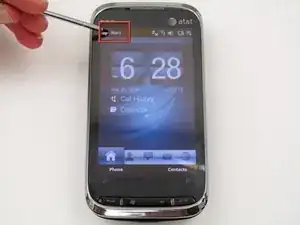
    • With the phone powered on and at the home screen, tap "Start".

  2. XYm4AcCngfgfm4PW
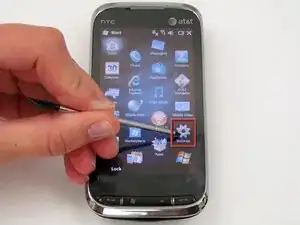
    • Tap "Settings".

  3. LVMO1Vq1gLkWhI1O
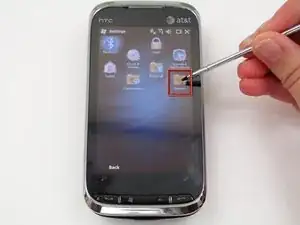
    • Tap "System".

  4. ORDe1UYmTaAYPhvg
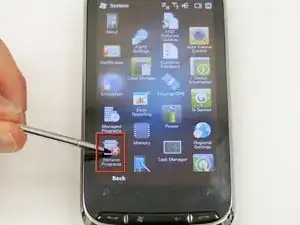
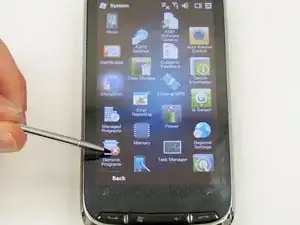
    • Tap "Remove Programs".

  5. Y6pEdERiTHIdrA4F
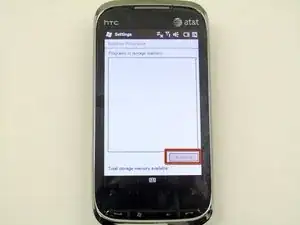
    • Your installed applications will be listed here. Simply highlight the application you want to remove and tap "Remove".

Conclusión

The application will now be uninstalled from your phone.

Lucas David

Miembro Desde 19/04/13

540 Reputación

0 comentarios